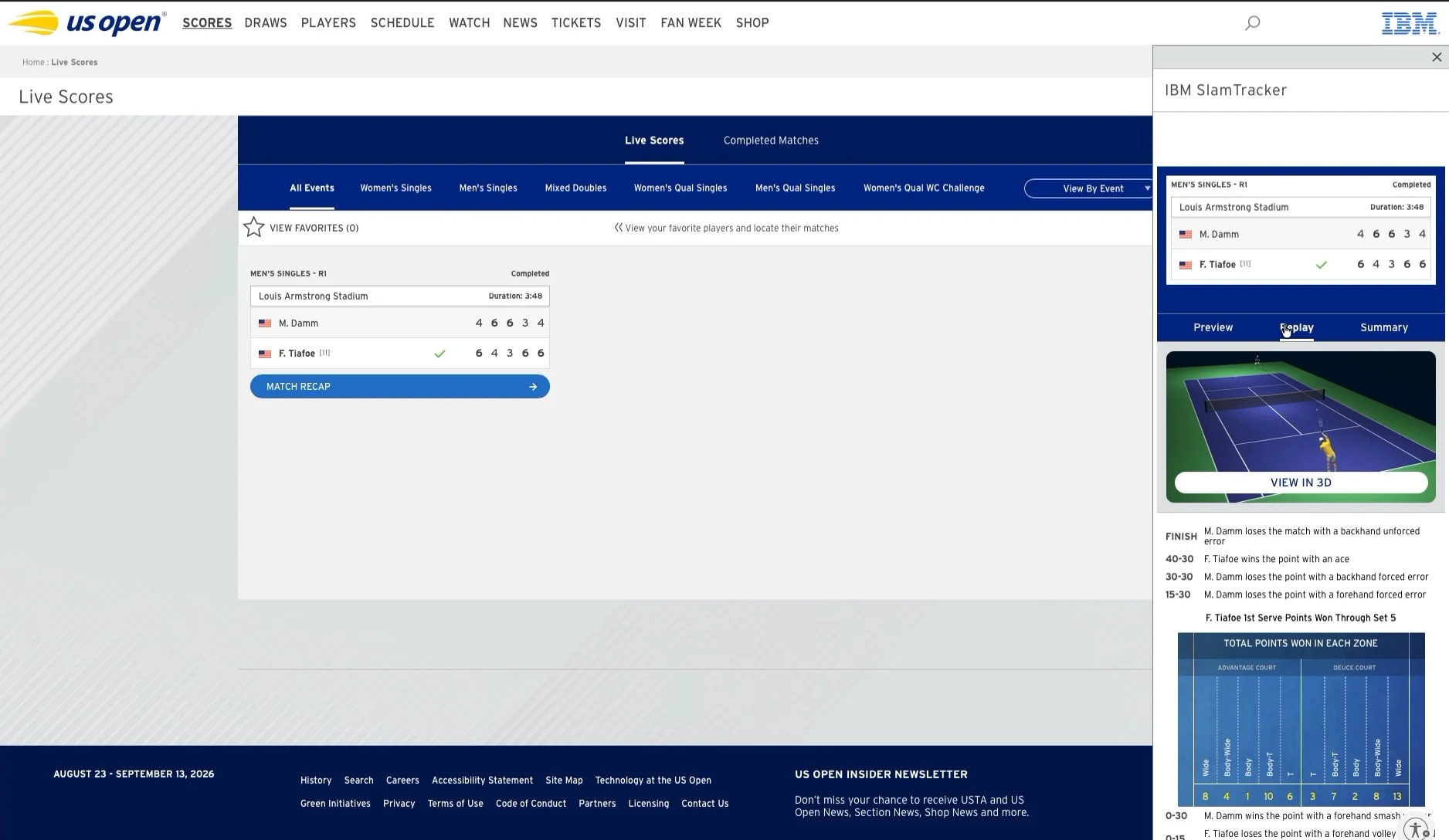
How do you build one 3D match experience for a headset, a phone and a browser?
A live 3D Match Center inside the official app, on three platforms that share no input, no screen size and no habits.
- Duration
- 2 tournaments
- Role
- Lead XR Interaction Designer
- Platforms
- Quest / iOS & Android / Web
- Clients
- ESPN & USTA
- Tools temp
- Figma, Unity handoff, Amplitude
About the project
A 3D match inside the app fans already open
The US Open app is where fans follow the tournament: live scores, IBM insights, highlights. We added a 3D Match Center inside it — the point being played, rebuilt in three dimensions.
Shipped with ESPN and the USTA on Quest, iOS, Android and web, across the 2025 and 2026 editions.
- 323K
- Fans in 3D
- 597K
- Sessions
- 30%
- Retention
- 2×
- Year on year
They came with a challenge…
Put a live 3D match inside an app fans already use, on three platforms, without asking them to learn anything.
- Live Follow the point being played, without leaving the match.
- Explore Move around the court instead of watching one fixed angle.
- Understand Read serve placement and rally patterns as they happen.
What we wanted to understand
In-app analytics, plus five remote sessions temp
Watching
What is a fan doing with their hands and eyes during a match?
Navigating
How do they move between what’s live and what just happened?
Reading
Which stats do they actually look for, and when?
Our panel temp
What we learned
Three findings that set the model
72% temp
of sessions happened on a phone or a browser, not in the headset.
Why
The headset was the story. The phone was the reality: fans watch on TV and keep a second screen in hand.
“I’m not putting a headset on in the middle of a match.”
4/5 temp
fans gave up on free camera before finding a useful angle.
Why
Framing a rally takes longer than the rally itself. By the time the angle is right, the point is over.
“I kept spinning around and missed the whole point.”
90%+
of all sessions happened during live play.
Why
A live companion, not a replay library. Anything that pulls a fan out of the feed costs them the next point.
“To go back and see where that ball landed, it’s a great tool.”
These findings led us to one question
How might we let fans move through a live match — angle by angle, point by point — without ever leaving it?
Metrics to impact
Adoption temp
25% of Live Scores users open the 3D Match Center at least once.
Engagement temp
3 angle switches per session, on every platform.
Retention temp
25% of fans come back for a second match in the same tournament.
Our benchmark
Nobody had shipped this, so we borrowed one piece at a time
Apple Sports
Live score as the entry point, not a destination app.
F1 TV multi-cam
Named camera positions beat a free camera.
Strava flyby
Replaying a path in 3D as a story, not a video file.
IBM SlamTracker
Stats fans already trust, in the app they already open.
Turning ideas into a model
What we kept, what we dropped
- ⊘ Free camera first Powerful, unusable in 20 seconds.
- ✓ Preset views One tap to an angle that always frames the action.
- ✓ Timeline always visible Move through the match without leaving live.
- ⊘ Mini-map navigation temp A second map to learn, for one benefit.
- ✓ Stats on demand Serve and rally data, one gesture away.
Kept what a fan could learn in one point, dropped what needed a tutorial.
01
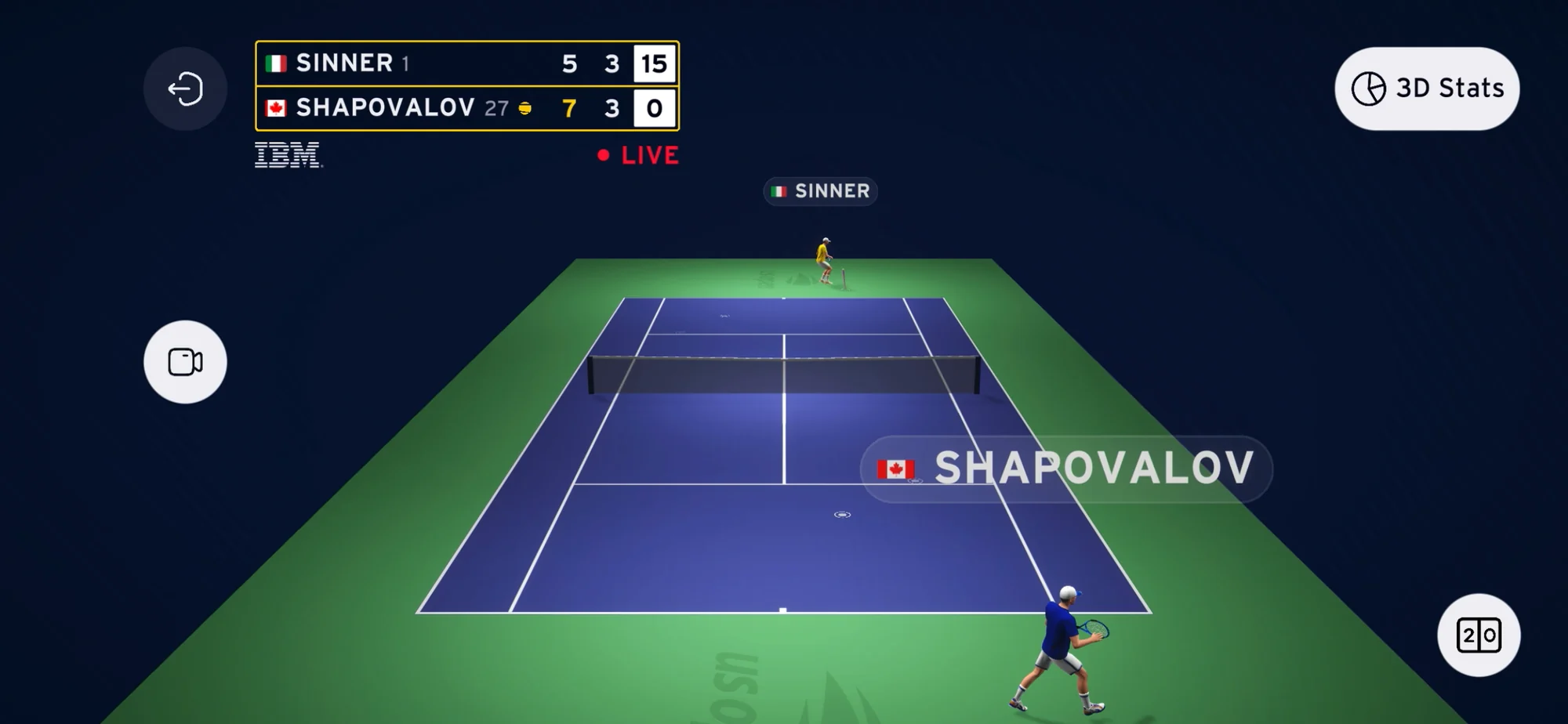
Pick your view
Behind either player, aerial, sideline. One tap, always oriented to the action. Free camera stays underneath for whoever wants it.
02
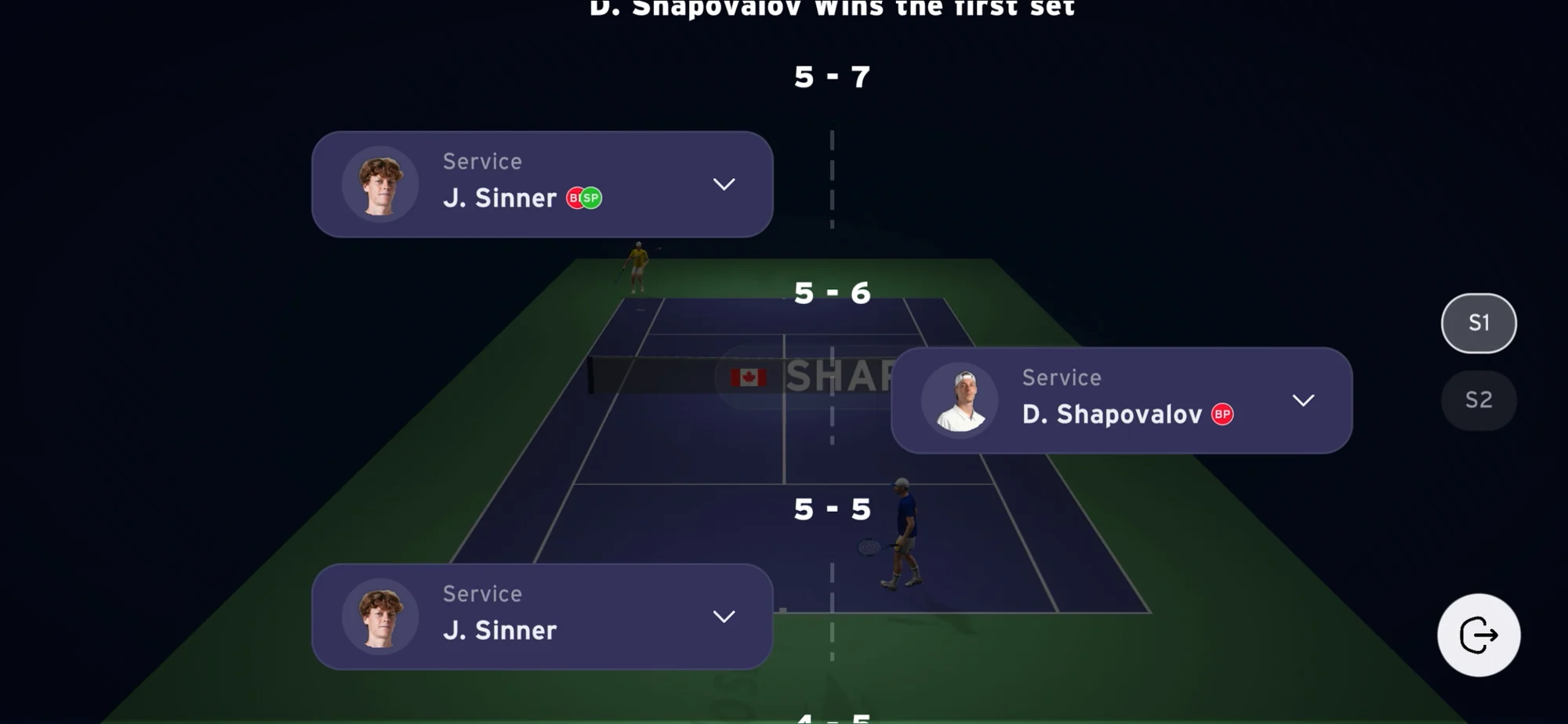
Move through the match
Every point, set by set, reachable while the match is still running. The timeline is navigation, not a replay mode you enter.
03
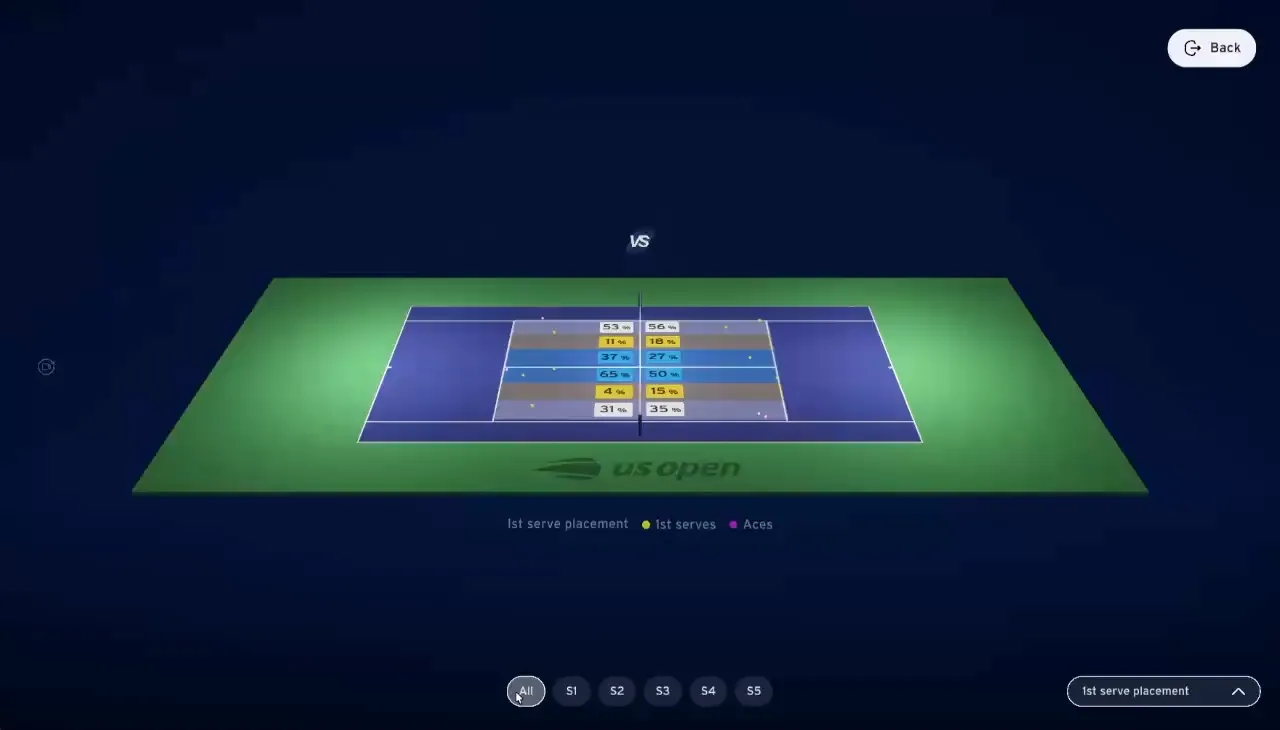
Read the rally
Serve placement and shot patterns rendered on the court itself, so the stat and the play are the same object.
We tested the prototype to answer three questions
Objectives, then the panel
Findability
Do fans find the 3D entry point from the live score?
Control
Can they reach a useful angle in under five seconds?
Replay
Do they understand that a point on the timeline can be replayed?
Our panel temp
Tested on the phone build, the surface most fans actually use.
Read-out
✓ What worked
5/5 temp
reached a useful angle in one tap.
“New feature on the US Open app! This is pretty cool if you ask me.”
4/5 temp
used the timeline while the match was still live.
“I went back to the break point and came straight back to the live game.”
90%+
of sessions happened during live matches.
“In-app analytics, 597K sessions.”
✕ What didn’t
4/5 temp
never realised a point could be replayed.
“I thought it was just a score list.”
6% temp
of sessions opened a replay. An affordance failure, not a content one.
“Desktop hover was the only guidance, and touch has no hover.”
We shipped a feature that was effectively invisible, and found it in analytics rather than in testing. Low usage was never a signal of low interest.
What we fixed
Two changes, both from a test
#1 — The timeline says it is tappable
Points get an explicit interactive state, and tapping one plays the replay inline instead of opening a mode.
#2 — One prompt, the first time
A contextual prompt on first open replaces the hover affordance that touch never had.
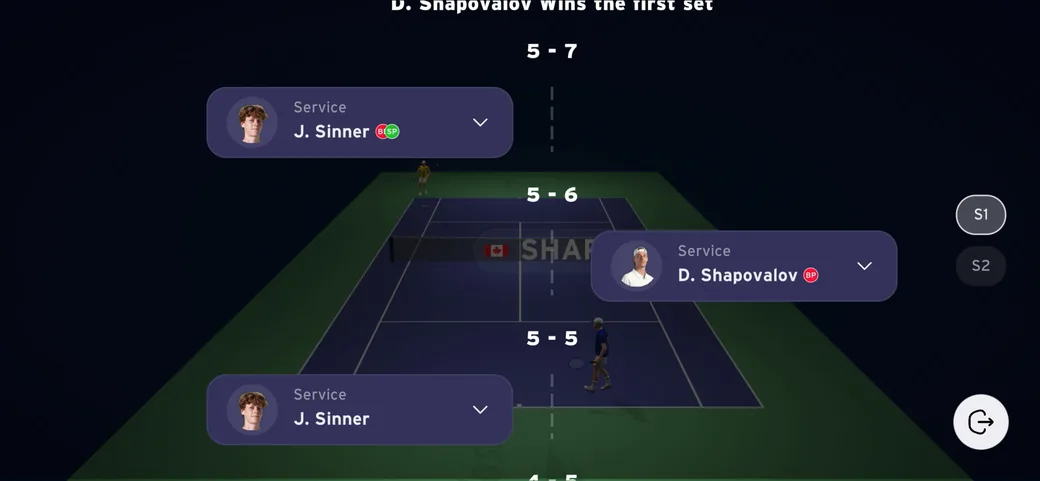
Replay usage went from 6% to 19% of sessions. temp
Where it landed
Two tournaments, one interaction model