A tool for coaches who already have one
Professional game analysis on Apple Vision Pro. Built from zero, on a platform with no conventions for professional use, for users who already have software that works.
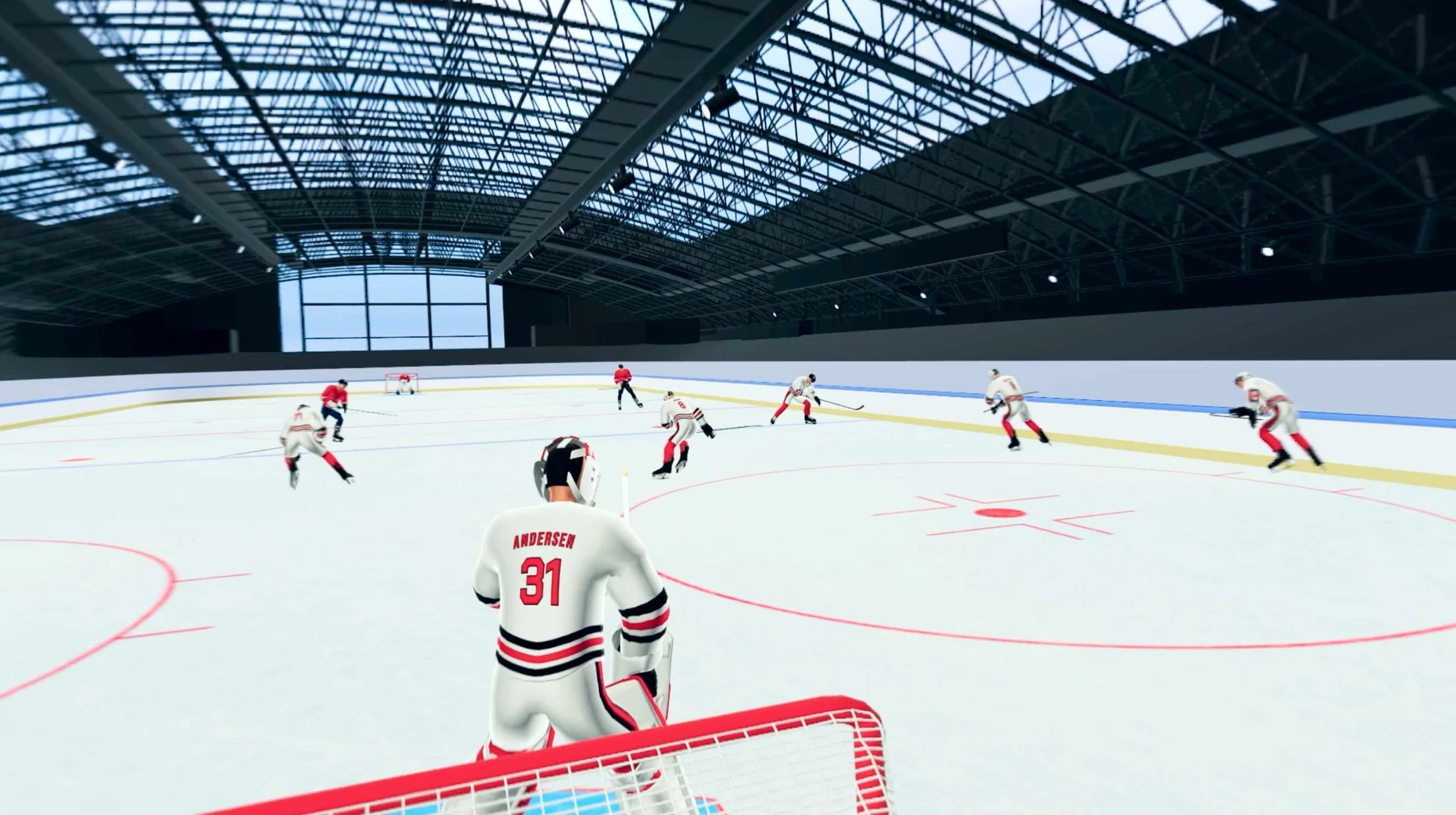
- Role
- Product Designer (sole designer)
- Status
- Prototype in active validation
- Client
- NHL Innovation Lab
- Platform
- Apple Vision Pro
- With
- Innovation Lab team + 2 active NHL coaches
The tension
The brief was make it spatial. That was the wrong question.
The obvious move
Take the coaching workflow, put it in a headset, add three dimensions. Ship a spatial version of a thing that already exists.
What we did
Coaches already have a desktop tool they trust. The real question was what does the headset add that justifies switching? If the answer is nothing, the project shouldn’t exist.
Decision 01
Port the analytics. Build the interaction from zero.
Timeline structure, event types and player data came from the existing desktop tool as reference. Coaches already understand these, and changing them creates re-learning cost with no upside.
Everything else had no equivalent to draw from: the 3D environment, the gesture system, the camera modes, immersive POV. Those were designed from first principles for Vision Pro’s gaze-and-pinch model.
The discipline was in not confusing the two. Reinventing the timeline would have been ego. Simulating a mouse in 3D space would have been laziness.
What that meant in practice
The timeline kept its analytical logic but was rebuilt entirely: gaze-driven selection instead of cursor click, gesture scrubbing instead of drag, target sizes calibrated for pinch rather than pointer precision.
Decision 02
A gesture grammar, not a gesture list
Vision Pro has no controllers, no keyboard, no fallback. Every action needed a gesture, and arbitrary assignment across a dozen actions is unlearnable.
So the system needed internal logic. Thumb-index pinch for play/pause: the most frequent action, mapped to the lowest-precision gesture. Middle-thumb pinch for frame-by-frame: right hand forward, left hand back, so directionality maps to physical intuition rather than memorization. Long pinch for fast-forward and rewind.
Speed settings adapt the gesture response automatically. A coach who sets 2× gets 2× fast-forward without learning a new gesture.
The constraint
Each gesture had to be distinct enough to prevent accidental triggers, but ordinary enough not to require memorization. Those pull in opposite directions.
Outcome
What actually happened
Prototype in active validation with the NHL Innovation Lab and two active NHL coaches. No deployment metrics: this is pre-release, and the current cycle is about determining which features survive contact with a real coaching workflow.
The honest part
What we’re learning
Gesture onboarding is the friction point, and the fix is contextual, not documentary.
- Coaches given a brief walkthrough navigate confidently from the first session
- Coaches starting cold take longer than the product should allow to discover the gesture vocabulary
- The in-app user guide exists, but the coaches who need it most are the ones least likely to stop and open it
- Open question: the 3D environment gets strong analytical reactions in session. Whether that survives repeated professional use, or is tied to novelty, is what the current cycle is designed to determine
Contextual prompts on first use, surfaced once per gesture, rather than a guide opened once and closed. The engineering cost is low. The onboarding impact is not.
Coach opens the user guide once, closes it, forgets half the grammar
First-use prompt appears inline the first time each gesture is needed
Cold start takes several minutes to reach confidence with playback
Target: confident playback inside the first minute
What’s next
Where this goes
Spatial annotation
Drawing directly on the 3D rink to mark a defensive shape or a lane that should have been covered. The capability most unavailable in any existing coaching tool, and the one that most directly uses what the hardware is for.
Collaborative sessions
A full coaching staff in the same review simultaneously, each on their own headset, navigating shared bookmarks. The bet: XR changes how coaches communicate decisions, not just how they analyze them.